All you need to know about Wmlink/serializationreceiving, Wmlink/clubpnl
and wmlink/2step and other Wmlink shortcuts.
All Walmart Wire WMLink Shortcuts and What They Mean.
The wmlink shortcuts are internal “Easy Links” used by Walmart and Sam’s Club associates to quickly access specific tools and portals within the company network (The WIRE).
Below is a detailed breakdown of each item, categorized by its primary function
wmlink/serializationreceiving
Contents
- 1 wmlink/serializationreceiving
- 1.1 wmlink/serializationreceiving – Description.
- 1.2 wmlink/OrderInsite
- 1.3 wmlink/
- 1.4 wmlink/wire
- 1.5 wmlink/cawire
- 1.6 wmlink/2step
- 1.7 wmlink/2sv
- 1.8 wmlink/w2
- 1.9 wmlink/workday
- 1.10 wmlink/servicenow
- 1.11 wmlink/snow
- 1.12 wmlink/mytech
- 1.13 wmlink/clubpnl
- 1.14 wmlink/samp
- 1.15 wmlink/edlp
- 1.16 wmlink/win
- 1.17 wmlink/outlook
- 1.18 wmlink/slack
- 1.19 wmlink/ssp
- 1.20 wmlink/byod
- 1.21 wmlink/hourlybyod
- 1.22 wmlink/ulearn
- 1.23 wmlink/giy
- 1.24 wmlink/safetyglasses
- 1.25 wmlink/onedrive
- 1.26 wmlink/jira
- 1.27 wmlink/svt
- 1.28 wmlink/sailpoint
- 1.29 wmlink/confluence
- 1.30 wmlink/akeyless
- 1.31 wmlink/mist
- 2 How WMLink Works in the Real World
- 3 Step-by-Step Guide: How to Use WMLink Correctly
- 3.1 Step 1: Start With the Right Device
- 3.2 Step 2: Sign In to Your Walmart Associate Account
- 3.3 Step 3: Make Sure 2-Step Verification Is Enrolled
- 3.4 Step 4: Enter the Shortcut Exactly
- 3.5 Step 5: Consider Role-Based Permissions
- 3.6 Step 6: Try the Walmart Network if You Are Having Trouble
- 3.7 Step 7: Use MyTech or Support if Needed
- 4 How to Access Walmart WMLink Shortcuts
- 5 The On-Network Protocol (Store or Club Only)
- 6 The Remote Access Protocol (Home or Mobile)
- 7 The Tech and Corporate Protocol (VPN or SSO)
- 8 Technical Troubleshooting Checklist
- 9 Master Summary Table
This is one of the most useful specialized Walmart shortcuts for pharmacy and receiving-related exceptions. Wmlink/serializationreceiving takes the associate to a ticket form that is used when a drug order or serialized item does not process correctly during receiving.
If an item is scanned and the system says the item is not in ASN, or if a QR code or receiving barcode will not scan correctly, the associate may be instructed to create a ticket through wmlink/serializationreceiving.
In real-world use, this shortcut is not something you type into Google. It is an intranet shortlink that is entered directly into the browser bar on a Walmart system, the same way a normal internal Walmart URL would be typed. A Walmart pharmacy associate explained it clearly: wmlink/OrderInsite takes the user to OrderInsite, while wmlink/serializationreceiving takes the user to the ticket form to fill out when something in the receiving process needs escalation.
This shortcut is especially helpful when an item in a tote or controlled medication order cannot be accepted normally, when warehouse or McKesson scanning behaves incorrectly, or when the item must be reviewed outside the normal receiving flow. In practical terms, this is a problem-resolution shortcut. It is less about routine receiving and more about what to do when the normal scan-and-accept workflow breaks down.
wmlink/serializationreceiving – Description.
This specialized pharmacy tool is used to track and receive prescription medications that require unique serial number verification. It helps support compliance with federal drug tracking requirements by recording the movement of sensitive or high-value inventory through the receiving process. If a barcode fails to scan during receiving, associates may use this link to manually resolve the issue or submit a support ticket.
wmlink/OrderInsite
OrderInsite is the primary inventory management platform used by pharmvacy teams to optimize stock levels and sourcing. The tool provides analytics that help pharmacists predict demand, manage replenishment, and reduce waste on costly medications. By using this link, staff can access real-time dashboards that centralize purchasing, ordering, and compliance data in one place.
wmlink/
This is the root directory for the internal Walmart and Sam’s Club shortcut system. When used on a company network, it acts as a gateway that allows users to search for existing shortcuts or create new ones for specific teams and workflows. It is a key part of the internal shortlink culture that helps associates navigate thousands of company pages without needing to remember long, complex URLs.
wmlink/wire
This is the standard shortcut for OneWalmart, formerly known as The Wire, which serves as the central hub for associate information. It provides access to company news, internal apps, policies, and important operational resources. Associates use it regularly to check schedules, access work tools, and stay informed about company updates.
wmlink/cawire
This version of the intranet is designed for the Walmart Canada market and provides localized resources and news relevant to Canadian stores. It includes information on regional benefits, payroll standards, and compliance requirements tied to Canadian operations. While it uses the same Wire naming style, the content is tailored to the specific needs of Walmart Canada.
wmlink/2step
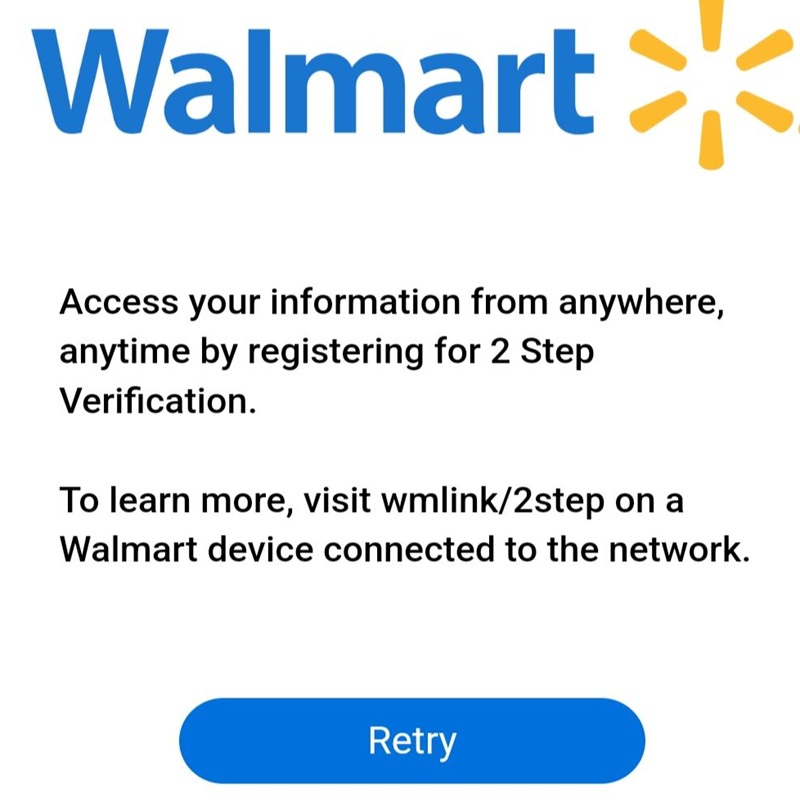
This link takes associates to the setup portal for Two-Step Verification, which is required for accessing work applications from home or personal devices. It allows users to register a phone number or use the VIP Access app to receive secure login codes. Completing this setup is essential for protecting account access and making sure only authorized users can open sensitive company systems remotely.
wmlink/2sv
Functionally identical to the 2step shortcut, this is an alternative alias for the Two-Step Verification enrollment page. It helps associates find the multi-factor authentication setup even if they remember the security term 2SV instead of 2step. This added security layer is required for associates who need to check pay information, schedules, or other account details from outside the Walmart network.
wmlink/w2
This high-traffic shortcut is the direct path for associates to view and download annual W-2 tax forms. It becomes especially important during tax season, when current and former employees may need quick access to year-end payroll documents. By using this link, users can reach their tax materials more directly without having to navigate through multiple layers of HR pages.
wmlink/workday
Workday is the main Human Resources platform used for managing personal information, payroll-related records, and career activity. Through this link, associates can update addresses, review employment information, and in some cases view internal opportunities or performance-related items. It serves as a central system of record for much of an associate’s employment lifecycle.
wmlink/servicenow
ServiceNow is the enterprise IT service platform used for reporting technical issues and requesting support. Associates may use this link to open a ticket when equipment such as printers, handhelds, or registers is malfunctioning. It helps the support team track issues, manage repair workflows, and reduce disruption to store or office operations.
wmlink/snow
This is the common shorthand shortcut for ServiceNow and provides access to the same IT support environment. It is often used by technical teams, support staff, and managers who need to report outages, request access, or follow up on open issues. The SNOW acronym is widely used across the tech industry, which makes it a natural fit for a short internal link.
wmlink/mytech
MyTech is a support portal designed to help associates troubleshoot common technical issues on their own. It includes help articles, guides, FAQs, and support options for problems such as login errors, device access, or account setup. This link is often the first stop before escalating a problem through a formal IT ticket.
wmlink/clubpnl
This shortcut is used by Sam’s Club management to access Profit and Loss information for a specific club. It provides a financial breakdown of performance, including sales, labor costs, and other operational factors that affect the bottom line. Managers can use this data to evaluate efficiency and make decisions that improve financial performance.
wmlink/samp
The Sam’s Club Asset Management Portal is used to track physical equipment and assets within a club location. It helps management maintain accurate records for high-value items such as forklifts, floor scrubbers, and specialized electronics. Using this link supports better accountability and helps ensure company property is maintained properly over time.
wmlink/edlp
Standing for Everyday Low Price, this link provides resources and internal guidance tied to Walmart’s core pricing philosophy. It may include pricing strategy information, signage standards, merchandising references, and background on how Walmart maintains price consistency. Teams working in merchandising or operations can use it to stay aligned with the company’s brand and pricing approach.
wmlink/win
This utility allows associates to look up their Walmart Identification Number, also known as the WIN. The WIN is a unique employee identifier used for payroll, benefits, and internal records in place of more sensitive personal data. This link is especially useful for new hires or associates who need the number for HR paperwork and account-related tasks.
wmlink/outlook
This shortcut provides a direct route to the web-based version of Microsoft Outlook for associates who have company email accounts. It allows eligible users to check email, review calendars, and manage communication from an authorized workstation without needing the desktop app installed. It is an important tool for daily communication across teams and departments.
wmlink/slack
Slack is a real-time communication platform used by Walmart Global Tech and some corporate teams for messaging and collaboration. This shortcut opens the Slack web interface or takes the user toward the correct internal workspace. It supports fast communication, file sharing, and group coordination in a more immediate way than email.
wmlink/ssp
The Self-Service Portal is used for managing account security, password resets, and access-related issues. If an associate is locked out of a workstation or needs to recover a forgotten password, this link provides the tools needed to begin that process. It is designed to reduce help desk volume by allowing users to handle basic account recovery on their own.
wmlink/byod
This shortcut stands for Bring Your Own Device, a program that allows eligible associates to use personal smartphones for approved work-related tasks. By following this link, users can review enrollment instructions, policy requirements, and setup steps for accessing the company work profile on their device. The program helps improve mobility while keeping personal and company data separated.
wmlink/hourlybyod
Similar to the standard BYOD program, this version is tailored specifically for hourly associates. It provides the legal notices, technical requirements, and enrollment details needed for hourly workers who want to use their own devices with supported Walmart apps. This can make it easier to use familiar devices for tasks such as inventory checks and store app access.
wmlink/ulearn
Ulearn is Walmart’s learning management system and is used for training, compliance, and development. It contains required safety modules, onboarding lessons, policy training, and other educational material associates complete throughout their employment. This link is used regularly to keep associates current on procedures, standards, and company expectations.
wmlink/giy
GIY stands for Global Identity and functions as an internal directory for finding associate information across the enterprise. By searching a name or user ID, associates can look up job titles, departments, and reporting relationships. It is especially helpful when working across teams and trying to identify the right contact for a project or issue.
wmlink/safetyglasses
This link is used to order or manage Personal Protective Equipment, especially safety eyewear. It may direct associates to a procurement or benefits-related page where they can select approved frames that meet role-specific safety requirements. Providing access to proper eye protection supports Walmart’s workplace safety programs and compliance efforts.
wmlink/onedrive
This shortcut provides access to Microsoft OneDrive, the company’s cloud-based storage platform for work files. Associates with the right permissions can store, share, and collaborate on documents securely through the corporate cloud. Using this link helps keep important files backed up and accessible across different devices and locations.
wmlink/jira
Jira is a project and issue tracking platform used by technical, product, and business teams to manage workflows. Through this link, users can view tickets representing tasks, bugs, requests, or planned features. It provides a structured way to track progress, assign responsibility, and coordinate work across larger projects.
wmlink/svt
The Store Visit Tool is used by market and regional leadership during store visits and operational walkthroughs. It allows users to take notes, record observations, upload photos, and evaluate areas such as cleanliness, stocking, and customer service. This helps leadership provide actionable feedback and track improvements over time.
wmlink/sailpoint
SailPoint is the identity governance platform used to manage access and permissions across Walmart’s systems. Associates may use this link to request access to applications, folders, or technical environments needed for their work. The platform helps automate approvals and strengthens security by making sure access is granted in a controlled way.
wmlink/confluence
Confluence is an internal documentation and knowledge-sharing platform where teams create and organize project pages, guides, and meeting notes. It allows information to be stored in searchable spaces rather than scattered across isolated documents. Teams use it to preserve knowledge, document procedures, and collaborate more effectively.
wmlink/akeyless
Akeyless is a secrets management platform used mainly by engineering and infrastructure teams. It securely stores sensitive credentials such as API keys, database passwords, and certificates so they do not have to be exposed directly to users or systems. This improves cybersecurity by helping technical teams access what they need without revealing raw secrets.
wmlink/mist
Mist refers to the Juniper Mist wireless networking platform used to manage Wi-Fi infrastructure in Walmart facilities. Network and support teams use this shortcut to monitor access points, troubleshoot connectivity issues, and improve wireless coverage for associates and customers. It supports proactive maintenance by using analytics and automation to identify network problems before they become major disruptions.
How WMLink Works in the Real World
Imagine a Walmart associate named Michael who wants to check his schedule from home. He opens OneWalmart on his personal phone and enters his Walmart user ID and password. Because he already enrolled in wmlink/2step verification, Walmart sends a temporary security code to his phone. He types the code, completes the second verification step, and gains access.
Now imagine another associate who never enrolled in 2-Step Verification. That associate may type the same password correctly and still be blocked from signing in remotely. The difference is not the password. The difference is the extra security layer.
This is how WMLink and 2SV work together in real life. The shortcut gets you to the correct starting point, but the account and device still need to pass the required security checks.
Step-by-Step Guide: How to Use WMLink Correctly
Step 1: Start With the Right Device
If possible, begin from a Walmart store workstation, club computer, approved company laptop, or approved handheld device. Those systems are already part of the Walmart environment and are far more likely to resolve internal links correctly.
Step 2: Sign In to Your Walmart Associate Account
Before testing a WMLink shortcut, make sure you are signed into the correct Walmart associate account. Many shortcut failures happen simply because the associate is not logged in or is not fully authenticated.
Step 3: Make Sure 2-Step Verification Is Enrolled
If you want access from a personal device, 2SV is often required. Without it, many remote login attempts will fail even if your username and password are correct.
Step 4: Enter the Shortcut Exactly
WMLink paths are not forgiving. A typo can break the path immediately. Make sure the spelling is exact, especially for longer shortcuts.
Step 5: Consider Role-Based Permissions
Not every WMLink shortcut is for every associate. Some paths are department-specific or role-specific. A shortcut may be real and still not be available to you.
Step 6: Try the Walmart Network if You Are Having Trouble
If a shortcut fails at home, try it again from the store, club, or approved company network. Many internal links only work properly in the environment they were created for.
Step 7: Use MyTech or Support if Needed
If the shortcut should work for you but does not, a technical support route like MyTech is usually the next step. Login issues, device issues, or permissions issues often need internal help to resolve.
How to Access Walmart WMLink Shortcuts
To access Walmart WMLink shortcuts, it helps to understand that Walmart uses a tiered security system. Depending on which link you are trying to reach, the technical requirements and login steps can change. Some tools only work inside the store or club, some work from home with Two-Step Verification, and others are mainly intended for corporate, tech, or salaried users with extra permissions.
Below is a practical guide to accessing the Walmart tools listed earlier, grouped by the connection type they usually require.
The On-Network Protocol (Store or Club Only)
Tools: serializationreceiving, OrderInsite, clubpnl, tmat, modulars, trailer, svt, mist, samp, edlp, safetyglasses.
These tools often contain sensitive operational, financial, pharmacy, or compliance-related information. Because of that, they generally cannot be accessed from home, even if you already completed Two-Step Verification. In most cases, they are intended to be opened only while you are physically at the store, club, pharmacy, or other Walmart work location.
Hardware Required: A store thin client desktop, a pharmacy terminal, or a company-issued handheld such as a TC70, TC72, or XCover device.
Clock-In Status: For many hourly associates, you may need to be actively clocked in before these operational tools will work properly.
How to Log In
- Open the web browser on a Walmart store or club computer. Chrome is commonly used, and in some environments older systems may still rely on Internet Explorer-compatible access.
- In the browser address bar, not the search bar, type the shortcut exactly in the format wmlink/shortcutname.
- For example, you would type wmlink/clubpnl or wmlink/serializationreceiving.
- If prompted, sign in using your standard UserID, your password, and the correct store or club number and domain.
- Depending on the environment, you may also need to confirm the correct business unit, such as Walmart U.S. or Sam’s Club.
This on-network method is the normal access path for tools tied to store operations, inventory, pharmacy workflows, financial reporting, and compliance-sensitive tasks.
The Remote Access Protocol (Home or Mobile)
Tools: gta, paystub, w2, workday, benefits, win, ulearn, byod, hourlybyod, wire, cawire.
These are the tools most commonly used for associate self-service. They are designed to be available from a personal computer or mobile phone, but only if the associate completed the required security setup in advance.
Prerequisite: You must first enroll in Two-Step Verification while physically at the store, club, or another Walmart-connected device. If you never completed that setup on-site, these links usually will not work properly when you try to access them from home.
How to Access These Tools From Home
- Go to one.walmart.com.
- Click the Login button.
- Enter your UserID and password.
- When prompted, complete the Two-Step Verification process.
- The security code may arrive by text message, phone call, or through the VIP Access app, depending on how you set it up.
- After verification is complete, you can search for the tool you need or use the direct WMLink redirect if your access is already active.
This is the access method most associates use for checking schedules, viewing pay stubs, downloading W-2 forms, reviewing benefits, updating personal information, and opening self-service tools without being inside the store.
The Tech and Corporate Protocol (VPN or SSO)
Tools: jira, confluence, slack, outlook, akeyless, sailpoint, onedrive, servicenow, snow, mytech, ssp, giy.
These tools are mainly used by Walmart Global Tech, Home Office teams, salaried management, or users whose roles involve technical, project, support, documentation, identity, or collaboration systems. These tools usually rely on Single Sign-On, often called SSO, and in many cases also depend on VPN access when the user is outside a corporate office.
Hardware Required: A company-issued laptop or a personal device that has been properly enrolled in the BYOD program.
Connection Required: If you are not physically in a Walmart office or approved work location, you will often need to connect to the company VPN, commonly through GlobalProtect or another approved access method.
Important Login Details
- Single Sign-On: Many of these tools automatically recognize your credentials if you are already signed into the Walmart network.
- Slack and Jira: These may require your work email address instead of only your 7-character UserID.
- Akeyless and SailPoint: These often require special permission groups tied to your job role. Even if you can open the login page, you may still see an access denied message if your manager or support team has not granted the correct access.
In practical terms, these are not broad store-associate tools. They are more commonly used in technical, support, administrative, project-based, or corporate environments where access rights are more tightly controlled.
Technical Troubleshooting Checklist
404 Error
If you get a 404 error, you are often not on the correct internal network. For on-network tools, try again from a Walmart store, club, pharmacy, or approved company device connected to the internal network.
Not Authorized
If you see a not authorized message, it usually means you are successfully signed in but your job role does not have permission to use that specific tool. This is common with specialized links such as clubpnl, akeyless, or other role-based systems.
Redirect Loop
If the page keeps redirecting and never finishes loading, clear your browser cache or try opening the site in a private or incognito window. This is a common issue with OneWalmart and related authentication flows.
Handheld Device Problems
If WMLink shortcuts do not work on a handheld device, make sure the device is connected to the correct Walmart or Sam’s Club Wi-Fi network and not a guest network. Internal shortcuts often fail if the device is on the wrong wireless connection.
Master Summary Table
| Access Level | Location | Key Requirement | Most Used For |
|---|---|---|---|
| Public | Anywhere | None | General careers pages or public information |
| 2SV | Home or mobile | Two-Step Verification | Pay stubs, schedules, W-2 forms, self-service tools |
| On-Network | Store only | Store Wi-Fi or Ethernet | Inventory, pharmacy, operations, P&L, compliance tools |
| Secure | Office or VPN | Job-specific permissions | Jira, Slack, Akeyless, documentation, support tools |
Remember, that not all Walmart WMLink shortcuts are meant to work the same way. Some are built for store-only use, some are intended for home access after Two-Step Verification, and some are reserved for technical or corporate users with additional permission requirements.
If a shortcut does not work, that does not always mean the link is broken. It often means the tool requires the right device, the right network, the right login method, or the right permission group before access will be granted.